

CRM Software Development: Build vs Buy (Salesforce / HubSpot) + Customization Costs & Pitfalls (2026)
CRM implementation guide for 2026: steps, timeline, costs, data migration tips, and common mistakes. A practical playbook for US teams.

Approximately 90% of CRM launches fail. And usually the reason is not poor software development. The majority of CRM projects fail because messy data is moved without cleaning, no one is assigned to own the system, and teams are trained once and then left to figure it out. And it's surprisingly consistent regardless of which platform you pick. We've created a CRM implementation guide to break those disappointing statistics.
In short: a successful CRM implementation means getting your data right before go-live, designing workflows around how your team actually sells, and treating rollout as an ongoing process rather than a one-time event.
As the global CRM market grows steadily, projected CAGR of 9.8% from 2026 to 2030, reaching $158.55 billion by 2030, demand for implementation services is rising with it. Yet despite growing investment in CRM software, adoption rates inside companies continue to disappoint. The core challenge is rarely the platform. It's how it gets implemented.
This CRM implementation guide covers every phase from discovery to post-launch iteration. We provide realistic timelines, cost ranges, and the most common mistakes that we know from our 10+ years of experience in the market. Follow it to succeed with CRM software implementation in 2026.
CRM Implementation at a Glance: Phases and Timeline
Before getting into each phase, here's a full view of the process. Use this as your reference map throughout the project.

The total timeline for a mid-market implementation typically runs 10 to 20 weeks end-to-end. Enterprise projects with complex integrations and large data sets can stretch to six to nine months. We'll cover what drives those differences in the costs section.
CRM implementation guide: step-by-step
Before we get to a detailed CRM implementation guide, we recommend taking this process not just as a technical setup. It is an operational change project that affects sales, marketing, customer support, and reporting workflows across the business.
Step 1: Discovery and requirements
The CRM discovery stage is the main one. If you skip it or rush it, you risk spending the next several months fixing decisions that turned out to be just assumptions.
Discovery means sitting down with every team that will touch the CRM and understanding how they actually work today.
At Empat, we usually do not use process charts to understand how the teams work, but communicate with real workers and team leaders. To streamline and fasten this process, we also use AI for the discovery stage to process the information gained.
What to map in discovery
- Users and roles: Who accesses the CRM? Sales reps, CS managers, marketing ops, executives with read-only dashboards? Each group has different needs, and permissions need to reflect that from day one.
- Core workflows: Lead routing, deal stages, handoff from marketing to sales to CS. You need to draw these out before you configure anything. Workflows designed after the fact are always a retrofit.
- Reporting requirements: What questions do your leaders ask every week? Pipeline health, conversion by source, deal velocity, churn by segment? Define these now. Building reports into the CRM after launch is painful.
- Data sources: Where does your current customer data live? A spreadsheet, an old CRM, your billing system, a support tool? List every source and its owner.
- Integration dependencies: What systems need to be included in the CRM on day one? Email, calendar, billing, product analytics, a support platform? Flag anything with an API and check whether native connectors exist.
A solid discovery phase takes one to two weeks for most SMB implementations. For larger teams or multi-department rollouts, plan from two to four weeks. The time and budget investment into the CRM discovery phase always pays back.
Step 2: Data cleanup and migration planning
If discovery is the foundation, your data is the building material. Unorganized or incorrect data migrated into a new CRM creates considerable problems for your project.
The most common mistake at this stage is treating migration as a technical task. In practice, it is a data quality task. The technical part is usually straightforward. The hard part is deciding what data is worth keeping, what gets cleaned, and what gets archived.
Data migration checklist
- Field mapping: Every field in your old system needs a corresponding field in the new one. If not, you need a documented decision that it doesn't. Don't leave this to the CRM implementation team to guess.
- Deduplication: Run a dedupe audit before migration. Duplicate contacts and accounts corrupt pipeline reporting and make automation unreliable. Most CRMs have deduplication tools. Make sure that you use them before import, not after.
- Ownership assignment: Every contact, company, and deal needs an owner in the new CRM. Unowned records are one of the fastest ways to create follow-up gaps.
- Historical data decisions: Not all historical data needs to come across. Decide which records are active enough to migrate and which can be archived externally. Migrating five years of dead leads creates noise, not value.
- Validation pass: After migration, you need to run a sample check. Pull 50–100 records and verify they look right. At this stage, catching a mapping error costs an hour. When you find these mistakes further, it will cost days of fixes and additional costs.
From our experience, we recommend budgeting more time here than feels necessary. Companies consistently underestimate data cleanup. In such a case, it can result in further problems.
Step 3: Configuration vs. customization of CRM
This is where a lot of teams spend money they didn't need to spend. Modern CRMs, such as HubSpot, Salesforce, Pipedrive, and Zoho, can do a remarkable amount out of the box. The thing that you need to figure out is whether your workflows fit within those defaults or whether you genuinely need something the platform wasn't built to handle.

When no-code configuration is enough
If your sales process maps reasonably well to a standard pipeline that includes lead in, opportunity created, deal won or lost, the native configuration handles it. Custom deal stages, basic automation (task creation, email sequences, notifications), and standard reporting don't require a developer. Most SMB implementations live entirely in this zone.
When custom development is required
You need custom CRM development when your business logic is genuinely unique.
For example, your business has complex multi-currency pricing with approval chains, custom objects that don't exist in the platform's data model, integrations with legacy internal systems that have no native connector, or compliance requirements that need field-level audit logs.
In such a case, custom app development services become the faster and more effective solution. It deals with the fact that the workarounds built on top of standard configs tend to break when the platform updates.
The practical guidance: start with native configuration. Build only what you've hit a real wall on. Over-engineering a CRM in the first implementation is one of the most expensive ways to slow down the implementation.
Step 4: Integrations
A CRM cannot be isolated, otherwise it becomes an expensive contact database. Its value multiplies when it reflects what's actually happening across your business: emails sent, invoices paid, support tickets opened, product features used. That's what integrations do.
To launch CRM successfully, you need to plan integrations from day one
- Email and calendar: Bi-directional sync with Gmail or Outlook. Every email and meeting should log automatically. If representatives have to log things manually, it will slow down the process and make your overall business less efficient.
- Billing and subscription: Connect Stripe, Chargebee, or your billing system so MRR, churn signals, and invoice status are visible inside the CRM. Your CS team shouldn't have to leave the CRM to know if a customer is late on payment.
- Support platform: Zendesk, Intercom, or whatever your support team uses. Open ticket count and CSAT scores visible on the account record give sales and CS real context.
- Product analytics: If you're a SaaS business, product usage signals, such as login frequency, feature adoption, and last active date, need to be included in the CRM. They're some of the strongest churn predictors you have.
Common integration failure modes
Even though the integration is a rather complicated process, the technical part is not the most risky one. The majority of problems occur when nobody defines the data flow before the build starts. Which system is the source of truth for a company? What happens when a contact exists in the CRM and the support tool under two different email addresses? Sync errors accumulate quietly and create data quality issues that are invisible until someone needs accurate reporting.
Build your integrations API-first. Native app-store connectors are fine for simple flows. For anything involving custom objects, conditional logic, or high data volumes, use the API directly and own the logic explicitly.
If your team doesn't have integration development capacity in-house, working with a software outsourcing partner who has built CRM integrations before is usually faster and cheaper than learning the patterns from scratch.
Step 5: Rollout and adoption
This is the phase most implementation plans underinvest in. Teams spend months on configuration and integration, then allocate one day for training and wonder why the CRM isn't being used three months later.
Adoption is a behavior change problem, not a software problem. The goal isn't to show people how the CRM works. It's to make the CRM easier than whatever they were doing before.
Rollout checklist
- Stage the launch: We recommend rolling out by team, not company-wide. Start with your most motivated users. Usually, this is a small sales team or a RevOps-led pilot group. Then, fix problems at a small scale before expanding.
- Role-specific training: Don't run one generic training session. A sales rep needs to know how to log activities and move deals. A CS manager needs to know how to pull churn risk reports. Different workflows, different sessions.
- Define governance from day one: Who can create custom fields? Who approves pipeline stage changes? Who owns data cleanup regularly? Write this down. Undocumented governance creates CRM sprawl within six months.
- Build feedback loops: After two weeks of live use, run a short async survey. What's confusing? What's missing? What's slowing people down? Early fixes are less complicated to launch.
- Set leading adoption metrics: Track login frequency, activity logging rate, and pipeline update cadence in the first 30 days. These are your early warning signals before pipeline data becomes meaningful.
CRM implementation costs and timeline
The range of CRM implementation costs is rather wide. It can be under $10,000 for a small team doing a simple configuration or reach over $150,000 for an enterprise project with complex integrations, data migration, and custom modules. The table below shows what influences the cost of CRM implementation.
One cost that rarely appears in estimates is the time of your internal team. However, it needs to be considered. Discovery, UAT, training coordination, and governance setup all require meaningful hours from your ops, sales, or RevOps leads. In a mid-market implementation, it commonly runs 80 to 150 hours of internal time over the course of the project. Include that in the overall cost calculation.
Common CRM implementation mistakes and how to fix them
Even well-funded CRM initiatives fail for surprisingly operational reasons. In most cases, the issue is not choosing the wrong platform, it is treating implementation as a technical migration instead of a process redesign project. Research from CIO.com notes that CRM success depends heavily on adoption, governance, and process alignment, not software deployment alone.
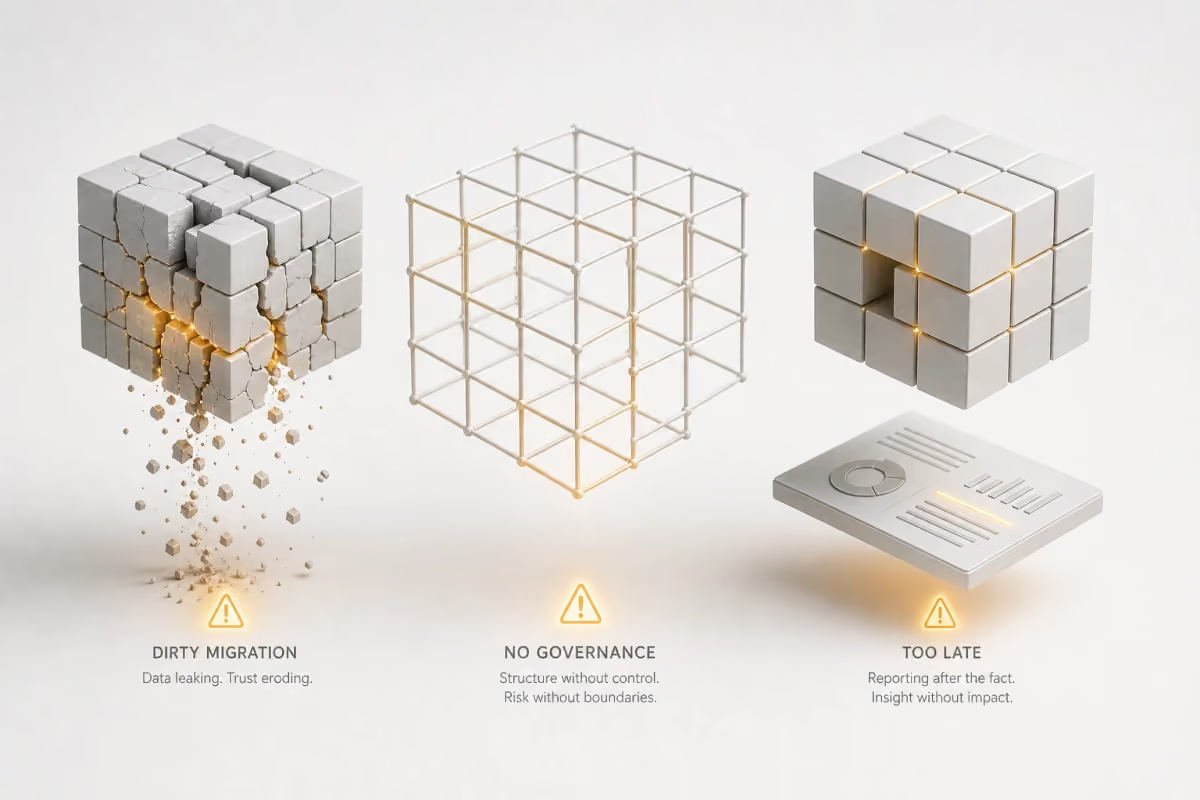
Treating migration as a "lift and shift" task
One of the most common mistakes is moving legacy data into a new CRM exactly as it exists in old systems. Teams may assume migration is a transfer task that includes simply exporting and importing data. In reality, this approach simply relocates years of poor data hygiene into a new platform.
Duplicate contacts, outdated pipelines, broken field logic, incomplete lead histories, and inconsistent naming conventions are common outcomes of lift-and-shift migrations. Once poor data enters a new CRM, reporting accuracy declines almost immediately, and user trust drops with it.
This matters because CRM performance is highly dependent on data quality. Before migration, you should run a structured data audit. This includes cleaning duplicate records, standardizing fields, archiving irrelevant historical entries, and defining clear field logic before import.
No clear ownership after launch
Another frequent CRM implementation mistake is assuming that once the CRM is live, teams will naturally "figure it out." Without clear ownership, nobody is accountable for adoption, governance, workflow maintenance, or process optimization.
This creates a predictable problem: sales teams use the CRM inconsistently, marketing teams build parallel systems, reporting breaks, and no one owns fixing it.
A CRM requires operational ownership after launch. Depending on company size, this may be a RevOps lead, CRM manager, operations director, or cross-functional system owner.
Designing the CRM without reporting in mind
Many teams build workflows first and think about reporting later. This is backwards.
A CRM should be designed around the business questions leadership needs answered. If reporting requirements are not defined early, teams often discover after launch that they cannot reliably measure conversion rates, pipeline health, campaign attribution, or customer lifecycle metrics.
Instead, reporting architecture should be defined during implementation planning. Before workflows are finalized, teams should decide:
- which KPIs matter most,
- which reports leadership reviews weekly or monthly,
- what data inputs are required to generate those reports accurately.
This ensures the CRM supports decision-making from day one rather than becoming a system team constantly has to retrofit later.
How Empat can help with CRM implementation
Empat works with the US product and ops teams at the point where CRM implementation becomes more than a configuration project. In case you need custom integrations, data migration support, or modules that the platform doesn't offer out of the box, software developers can help you solve these tasks.
The company has delivered over 300 software projects across 23 markets since 2013. The experienced team has expertise in CRM integrations, custom workflow development, and full-stack implementations for sales and CS teams.
For example, Empat worked on BigSister AI, which is a platform built to help companies monitor and improve sales team performance through real-time analytics, AI-powered reporting, and CRM-connected data infrastructure. One of the main technical challenges that our team faced was integrating the platform with multiple CRM systems and external data sources. The client needed a solution that could consolidate fragmented sales information, standardize reporting logic, and provide teams with a centralized view of performance metrics. Empat designed and developed a system that integrates smoothly with different CRM environments. As a result, it allowed sales teams to work with unified data, effortlessly gather information from different places with AI, create easy-to-understand reports, and boost sales performance.
Read the full BigSister AI case study for more details.
If your CRM project involves complex data migration, multi-system integrations, or unique logic, schedule a free strategy call with Empat to get a clear picture of scope, timeline, and cost before you commit to anything.
Clean data, real workflows, real adoption
A CRM implementation that is properly done is one of the highest-leverage investments an ops or RevOps team can make. In case you fail to launch it well, your CRM becomes the thing everyone blames for bad pipeline data, missed forecasts, and slowed processes.
The difference usually comes down to three things: cleaning your data before migration instead of after, designing workflows around how your team actually works rather than how a demo suggests they should, and treating adoption as an ongoing program rather than a one-time training event.
Follow the phases in this CRM implementation guide to make sure you do everything right. In case you need help with the CRM implementation, talk to Empat and get a realistic assessment of what your project actually involves.
FAQ
How long does CRM implementation take?
For small teams with clean data and simple workflows, a CRM can go live in six to ten weeks. Mid-market implementations with custom integrations typically take from three to five months. Enterprise projects that involve large data migrations, complex API work, or compliance requirements usually take six to nine months from discovery to stable go-live.
What is the CRM implementation process?
An effective CRM implementation follows these phases: discovery and requirements gathering, data cleanup and migration planning, configuration or custom development, integration with connected systems, QA and user acceptance testing, staged rollout with training, and ongoing iteration. The phases don't always run sequentially; some of them may overlap. However, skipping any of them creates predictable problems downstream.
How much does CRM implementation cost?
Cost ranges are wide because complexity varies as well. A small team configuring HubSpot Starter with basic integrations can cost from $5,000 to $20,000. A mid-market team with custom workflows, multiple integrations, and a significant data migration typically spends $30,000 to $80,000. Enterprise implementations with Adobe Commerce or Salesforce Enterprise, complex custom modules, and strict compliance requirements can exceed $150,000.
What are the top CRM implementation mistakes?
The list of most common CRM implementation mistakes includes: migrating dirty data without cleaning it first, launching without a named CRM owner who governs the system long-term, skipping report design until after go-live, over-customizing the platform before understanding real workflows, and treating rollout as a single training event rather than a staged behavior-change program. Each of these is avoidable with the right planning upfront.


