

Custom CRM Development: Features, Cost, Build vs Buy, and How to Choose a CRM Development Company
Build, buy or customize: what a custom CRM must include, the architecture decisions that matter, what it costs at Empat, how migration works, and six checks for choosing a partner.

Custom CRM development means building a customer relationship management system around your sales, service and operations process instead of bending your process around a vendor's defaults. It makes sense when the workflows that make you money do not fit a standard pipeline, when you are paying for seats and add-ons you barely use, or when the CRM has to sit at the center of a product rather than beside it.
This guide is for the operations lead, head of sales or founder who has outgrown the configuration limits of HubSpot, Salesforce or Pipedrive and is weighing three paths: keep customizing, switch platforms, or build. It covers what a custom CRM must include, the architecture decisions that matter, what it costs at each stage, how migration works, and how to choose a CRM development company.
The short version: build when your process is the product, customize when the gaps are cosmetic, and never start with the data model your current tool forces on you. Most expensive CRM projects went wrong at that third point.
Build, buy, or customize?
There are three realistic options: an off-the-shelf CRM used mostly as configured, a heavily customized SaaS CRM with paid add-ons and custom objects, and a custom-built CRM. The first is right for most small teams, the second for teams with real but bounded gaps, and the third for companies whose pipeline, entities or integrations simply do not exist in a vendor's model.
| Option | Fits when | 3-year cost profile | Time to launch | Main risk |
|---|---|---|---|---|
| Off-the-shelf CRM | Standard B2B pipeline, under ~30 users, few integrations | Per-seat subscription; predictable, grows with headcount | Days to weeks | Process bends to the tool; data locked in vendor model |
| Customized SaaS CRM | Standard core, a handful of custom objects and automations | Subscription + add-ons + consultant hours; often 2–3× list price | Weeks to months | Customization debt; upgrades break workflows; costs creep per seat |
| Custom-built CRM | Non-standard entities, CRM inside a product, heavy integrations, data ownership requirements | Build cost up front; hosting and maintenance after; no per-seat fee | 6–12 weeks to MVP | Under-scoping; building features a SaaS already does well |
A useful test: list the ten things your team does in the CRM every day. If eight of them are standard pipeline work and two are painful workarounds, customize. If half of them involve objects your vendor does not have — projects, policies, patients, properties, shipments — you are building a line-of-business system, and a custom CRM is the honest name for it.
What features does a custom CRM need?
A custom CRM needs the same core any CRM has — contacts and accounts, a pipeline, an activity timeline, permissions and reporting — plus the specific entities, automations and integrations that justified building it. The core is well understood and should be built fast; the differentiating parts deserve the design time.
- Contacts, accounts and your own entities. People, companies and whatever the business actually revolves around: deals, cases, policies, units, patients, vehicles. Getting these relationships right is the single most important design decision.
- Pipeline and stages. Multiple pipelines if you sell in different motions, with stage rules, required fields and ownership.
- Activity timeline. Every email, call, meeting, note and system event against a record, in one chronological view.
- Permissions and audit. Role-based access, field-level visibility where needed, and a log of who changed what.
- Reporting. Pipeline, conversion by stage, activity by rep, and the two or three metrics your leadership actually looks at.
- Automation. Assignment rules, follow-up reminders, stage-change triggers, approvals.
- Integrations. Email and calendar, telephony, billing or ERP, marketing tools, support desk, e-signature, data enrichment.
- AI assist. Call and email summaries, next-step suggestions, lead scoring on your own history, and a natural-language query over the data. See our guide to AI integration services for how this is added without rebuilding the system.
Which architecture decisions matter?
Four decisions shape a custom CRM more than any feature list: the data model, the integration layer, the permission model and the deployment footprint. Decide them in discovery, because each one is expensive to reverse once data is in the system.
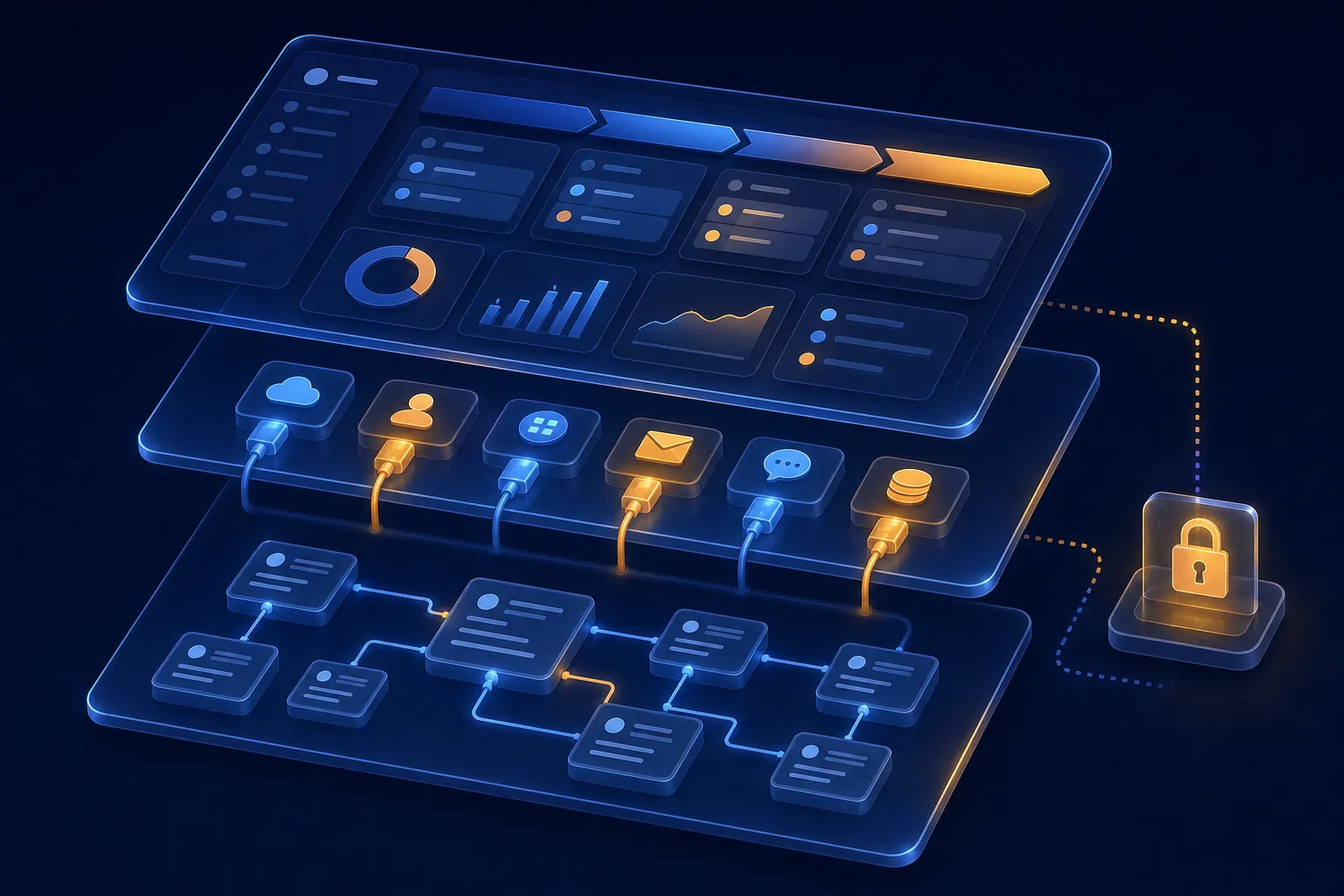
- Data model. Model your real entities and their relationships first; do not copy the contact-company-deal triangle from your current tool unless it genuinely fits. Plan for history: who owned a record when, and what a field was before it changed.
- Integration layer. Treat integrations as a separate layer with its own queue, retries and error visibility rather than wiring each system directly into the core. This is where most of the engineering time goes, and where most production incidents start.
- Permissions. Decide early whether you need team-, territory- or record-level access, and whether external users (partners, clients) will ever log in. Retrofitting record-level security is painful.
- Deployment. Single-tenant for an internal tool; multi-tenant only if the CRM is part of a product you sell. Web first; a mobile app earns its cost when field teams need offline access or notifications.
If your CRM has an AI component — scoring, summarization, agents that update records — design the evaluation set and guardrails up front, the same way we describe in our AI workflow automation guide.
How much does custom CRM development cost?
At Empat, custom CRM work follows a staged ladder: discovery from $5,000 over one to two weeks, a proof of concept from $15,000 when a single integration or data migration decides feasibility, an MVP CRM from $30,000 over six to twelve weeks, and a full product from $50,000 over three to twelve months. Hosting and maintenance are a separate, predictable running cost with no per-seat fee.

- Discovery — from $5,000, 1–2 weeks. Process mapping, the entity model, integration inventory, migration assessment and a written build-versus-customize recommendation. Sometimes the recommendation is "stay on your current CRM and fix two workflows".
- Proof of concept (from $15,000, typically two to four weeks). Only when one risk decides the rest: a legacy ERP integration, a messy migration, or an AI scoring model on your own history.
- MVP — from $30,000, 6–12 weeks. The core (entities, pipeline, timeline, permissions, reporting) plus the two or three integrations you cannot work without, in production with real users.
- Full product — from $50,000, 3–12+ months. Advanced automation, mobile, portal access for partners or clients, analytics, AI assist, and the long tail of integrations.
What pushes the number up: the count and quality of integrations, the volume and messiness of data to migrate, the number of user roles, mobile and offline requirements, and compliance constraints such as HIPAA or SOC 2. What keeps it down: a ruthless MVP scope and reusing proven components for the standard core. Our project cost calculator gives a first-pass figure.
How do you migrate from an existing CRM?
Migration is a project inside the project: export and clean the data, map old fields to the new model, decide what history to keep, run a parallel period, and switch over with a rollback plan. Budget for it explicitly; it is the most common reason CRM launches slip.
Two constraints shape the migration plan early. Getting data out: if the old system is Salesforce, large volumes leave through its Bulk API 2.0, which works in asynchronous jobs with their own limits, so the export needs its own schedule rather than an afternoon. Getting data back out of the new system: if the CRM holds EU contacts, GDPR Article 20 gives people the right to receive the data they provided in a structured, machine-readable format, so design the data model so one person's record can be exported cleanly from day one.
The technical part — exports, transformation scripts, deduplication — is predictable. The human part is not: workflows people built around the old tool's quirks, reports leadership relies on, and the week when two systems hold the truth. Our CRM implementation guide covers the rollout, training and adoption side in depth; this article stays on the build.
How do you choose a CRM development company?
Choose a CRM development company by how it handles the parts that fail in production — integrations, migration and permissions — rather than by the polish of its demo. Ask for a data-model walkthrough from a past project, how integration failures surface to users, how migration was rehearsed, and who owns the code and the data afterwards.
| Check | What a good answer sounds like |
|---|---|
| Data modelling | They ask about your entities before your features, and can show a model they designed for a non-standard business. |
| Integrations | Named systems they have integrated, how retries and failures are handled, and how users see a sync problem. |
| Migration | A rehearsal plan, a parallel-run period, and a rollback path. |
| Security and permissions | Role- and record-level access, audit logging, and the compliance frameworks they have delivered under. |
| Ownership | You own the code, the database and the documentation; handover is part of the plan, not an extra. |
| Honesty about buy vs build | They have told a client not to build. If every answer is "custom", keep looking. |
How Empat builds custom CRMs
Empat builds CRMs as product engineering: a paid discovery that models your real entities and sometimes ends in "customize what you have", a PoC when one integration or migration carries the risk, and an MVP that goes live with the two or three integrations your team cannot work without. CRM projects are led by Yaroslav Melnychenko, our Head of Engineering, who designs the data model and integration layer before the first sprint starts.
For the service scope and engagement models, see our CRM software development page. For adding AI to a CRM you already run, start with AI integration services; for the wider picture of choosing between build and buy across your stack, our guide to software development solutions frames the decision.
If the first AI feature you want in the CRM is conversational — qualifying leads on the website and writing them straight into the pipeline — our guide to AI chatbot development services covers what to build and what it costs.
FAQ
How much does custom CRM development cost?
At Empat, discovery starts from $5,000 over one to two weeks, a proof of concept from $15,000, an MVP CRM with the core entities, pipeline, permissions, reporting and two or three key integrations from $30,000 over six to twelve weeks, and a full product from $50,000. Integration count, data migration, user roles and mobile requirements are what move the number; there is no per-seat fee afterwards.
How long does it take to build a custom CRM?
A focused MVP typically takes six to twelve weeks after one to two weeks of discovery, and goes live with real users and your essential integrations. Full products with advanced automation, mobile apps, partner portals and a long tail of integrations take three to twelve months or more. Migration from the old CRM runs in parallel and is usually what decides the launch date.
Is a custom CRM better than Salesforce or HubSpot?
Not by default. For a standard B2B pipeline with a small team, an off-the-shelf CRM is faster and cheaper. A custom CRM wins when your core entities and workflows do not exist in the vendor's model, when per-seat and add-on costs have outgrown a build, when the CRM is part of a product you sell, or when data ownership and compliance rule out a shared platform.
Can a custom CRM integrate with our existing tools?
Yes — integrations are usually the main reason to build. Email and calendar, telephony, billing or ERP, marketing automation, support desk and e-signature are standard; the engineering effort depends on each vendor's API quality and access programs. Design integrations as a separate layer with retries and error visibility so a failed sync is seen and fixed, not discovered in a report weeks later.


